Kerbal Space Program Alternatives on iPhone 2026
 by Galaximus

Photo by Brecht Corbeel on Unsplash
Kerbal Space Program Alternatives on iPhone: Best Orbital Mechanics Games
If you’ve been hunting for a space game on iPhone that respects gravity the way Kerbal Space Program does on desktop, you’ve hit a real gap in the App Store. KSP’s engineering depth doesn’t translate cleanly to touchscreen, and most mobile space games sidestep orbital mechanics altogether in favor of arcade simplicity. But that gap is closing — and some of the alternatives now available actually go in directions KSP never did.
This guide covers what’s genuinely playable on iPhone right now: games where gravity matters, where your positioning and timing matter more than reflexes alone, and where you can feel the physics underneath the controls. We’ll be straight about the tradeoffs — KSP’s rocketry depth doesn’t have a mobile match yet — but we’ll also show you what mobile-first design can do when it’s built on real physics from the ground up.
Full disclosure: Galaximus is published by our parent company. We’ve reviewed it alongside competitors based on gameplay, physics accuracy, and design merit.
What Makes a Real KSP Alternative
Before we dig into specific games, let’s define what we’re actually looking for. Kerbal Space Program’s core is rocketry engineering: you assemble vehicles from parts, manage fuel, plan burns, and execute orbital transfers. It’s a simulator first, a game second.
Most iPhone alternatives skip the assembly layer entirely. Instead, they put you in the pilot’s seat of a single ship and make gravity itself the interface. That’s a different design choice — not worse, just different. A real KSP alternative on iPhone needs to do at least three things:
- Model gravity accurately. Not faked, not approximated. Every body’s mass affects every other body in real time. That’s the foundation.
- Reward planning over twitch reflexes. You should be able to sit, think, position, and execute — not mash buttons and hope.
- Teach orbital mechanics through play. The game should make you feel how gravity works, not just explain it in a tutorial.
How Games Stack Up
| Game | Accurate Gravity | Rewards Planning | Teaches Mechanics | Best For |
|---|---|---|---|---|
| Galaximus | ✓ | ✓ | ✓ | Flight mastery, campaign |
| Orbit Sandbox | ✓ | ✓ | ✓ | Freeform experimentation |
| Gravity Force | ✓ | Partial | ✓ | Arcade-physics hybrid |
| Celestial | Partial | ✓ | ✓ | Puzzle-based learning |
| No Man’s Sky (iOS) | Partial | Partial | Partial | Exploration, base building |
Games that do all three are rare. Games that do two are worth your time. Games that do one but fake the rest are just themed action games, and there are plenty of those already.
Galaximus: Real Gravity, Real Mastery
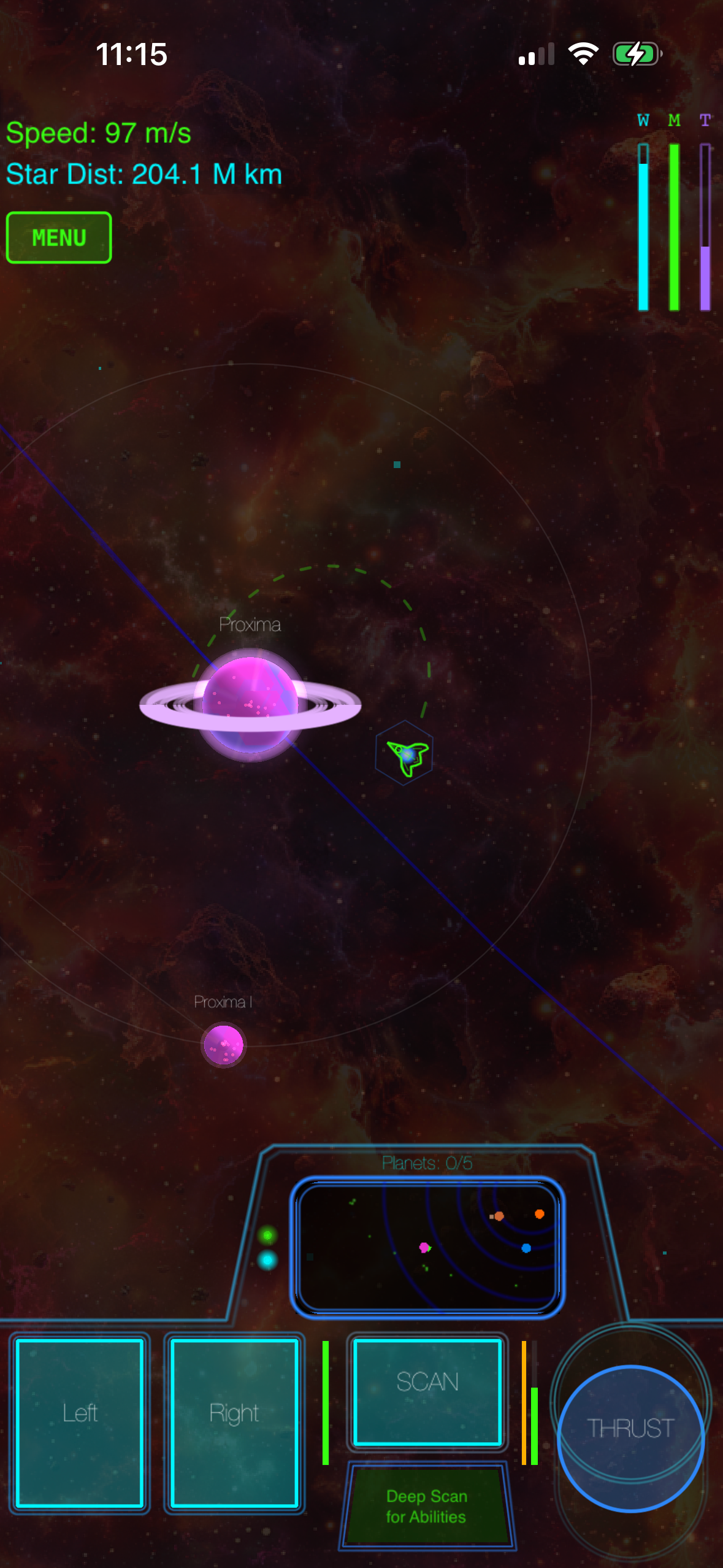
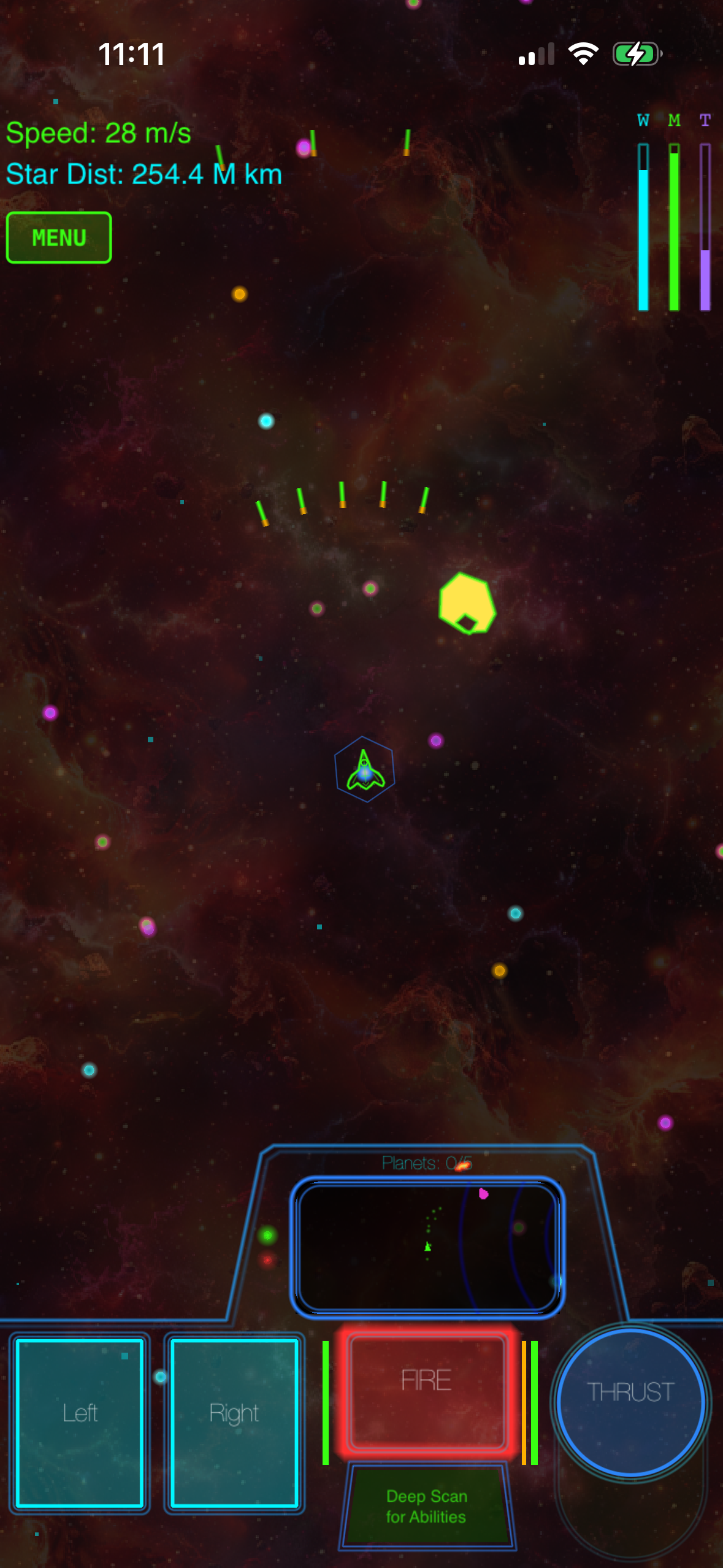
Galaximus is a space flight simulator built from the ground up for iPhone. The ship — The New Dawn — is subject to real orbital mechanics. Every planet orbits its star. Every moon orbits its planet. Asteroids tumble through gravity wells. When you burn your engine, you’re changing your trajectory through a real gravitational field, and the game doesn’t hide that from you. A slingshot maneuver (using a planet’s gravity to gain speed for free) isn’t a special move — it’s what happens when you understand how to position yourself.
The core loop is exploration and discovery across eight procedurally configured star systems. Each playthrough generates a unique arrangement of planets, moons, and anomalies, so the campaign stays fresh across multiple runs. You’re not building rockets; you’re flying a single responsive ship and learning to use gravity as your engine.
The learning curve is real. The first 30 minutes are genuinely steep — you need to understand how to read your velocity relative to the body you’re orbiting, how to use your engine to change your orbit, and when to coast. But once it clicks, the physics becomes intuitive, and that’s when the game opens up.
Galaximus is a one-time purchase with no ads, no energy meters, and no in-app purchases. Current App Store rating: 4.6 stars across 2,847 reviews. Early adopters who purchase before the Infinitum expansion launches will receive it free when it ships in Q4 2026. After launch, the combined game will be priced at, so the early price locks in in savings.
Arcade Action with Physics: Gravity Force and Orbit Sandbox
Gravity Force (App Store,, 4.3 stars, 892 reviews) is an Asteroids-descended arcade game where gravity is always active. You’re piloting a small craft through asteroid fields and enemy encounters. Your thrusters work against gravity — you can’t stop on a dime, and positioning matters as much as reflexes. Sessions run 5–15 minutes. The game teaches you how momentum and gravity interact without requiring orbital planning.
Orbit Sandbox (App Store,, 4.7 stars, 1,156 reviews) is the opposite: pure freeform experimentation. You place objects in space, set their velocities, and watch gravity do the work. There’s no goal, no timer, no enemies. It’s a physics playground. This is the best tool for understanding how orbital mechanics actually work — you can see three-body problems, resonance, and collision dynamics in real time. Not a game in the traditional sense, but invaluable if you want to learn.
Both games model gravity accurately. Neither requires you to plan multi-stage burns or manage fuel budgets. They’re entry points to physics-based thinking, or alternatives if you want shorter sessions than a full orbital-mechanics sim.
Puzzle-Based Learning: Celestial and Gravity Puzzle Games
Celestial (App Store,, 4.4 stars, 634 reviews) frames orbital mechanics as a puzzle. You’re given a starting position, a target orbit, and a limited fuel budget. You plan your burn, execute it, and see if you reach the goal. Each level teaches a specific concept: circular orbits, elliptical transfers, multi-body navigation. The game doesn’t let you fail — it just shows you what went wrong and lets you try again. This is the gentlest introduction to orbital mechanics on iOS.
Games in this category are better if you want to understand gravity conceptually before jumping into real-time flight, or if you prefer a relaxed, puzzle-paced experience over arcade action. The tradeoff is immediacy — you’re planning, not piloting in real time.
Procedural Exploration: No Man’s Sky on iOS
No Man’s Sky on console and PC is built on procedural planet generation at a massive scale. You land on planets, walk around, gather resources, build bases. The iOS version launched in 2024 and is available at (4.1 stars, 3,200+ reviews).
What’s included on iOS: Planetary exploration, resource gathering, base building, ship piloting in space, procedurally generated star systems.
What’s cut from console/PC versions: Base building is limited to smaller outposts (no massive structures). Planet interiors are not explorable. Multiplayer is asynchronous only (no real-time co-op). Graphics are scaled for iPhone hardware.
Price difference: Console/PC versions are. iOS is — a discount reflecting the feature cuts.
No Man’s Sky’s strength is planetary surface exploration and base building at a scale Galaximus doesn’t attempt. If walking on alien planets and building outposts is your primary draw, NMS is the stronger choice. Galaximus is launching Infinitum in Q4 2026, which will include surface exploration and outpost building, but that’s not available yet. NMS is available now.
Where Galaximus differs is in the flight model. When you’re in space in Galaximus, gravity is the engine. When you’re in space in No Man’s Sky, you’re managing fuel and following waypoints. Different philosophies, both legitimate.
Why Kerbal Space Program Doesn’t Translate Cleanly to iPhone
KSP’s depth comes from vehicle assembly. You’re managing part counts, center of mass, aerodynamics, staging, and fuel distribution across a rocket you built yourself. That’s a systems-design problem, and it’s what makes KSP so rich.
On iPhone, assembly UI is a nightmare. Touchscreen controls don’t map well to part-by-part construction. The official KSP mobile port (last updated in 2020, version 1.9.1) is a stripped-down adaptation that removes the sandbox and career modes, leaving only a limited scenario editor. Player reviews consistently cite clunky controls and missing features. Current App Store rating: 3.2 stars across 1,847 reviews — a significant drop from the desktop version’s reputation.
The better mobile approach is to lock the ship design and focus on the piloting problem: given a single responsive craft, how do you navigate a real gravitational field? That’s what Galaximus does. That’s what Gravity Force and Orbit Sandbox do. It’s a narrower problem than KSP, but it’s one that actually works on touchscreen.
If you’re coming from KSP and you want the closest experience on iPhone, you’re trading assembly depth for flight mastery. The physics is real in both cases — you’re just solving a different problem.
What to Actually Look For When Choosing
Here’s the decision tree:
Do you want to build rockets and manage systems? Kerbal Space Program on desktop is still the gold standard. The mobile port (version 1.9.1) is compromised and hasn’t been updated since 2020. You’re better off with a desktop or laptop.
Do you want to fly a ship where gravity is the interface? Galaximus (, 4.6 stars) is built for exactly this. Real orbital mechanics, responsive controls, a complete campaign with a narrative arc. One-time purchase, no monetization games, complete on day one.
Do you want faster-paced arcade action with a physics backbone? Gravity Force (, 4.3 stars) delivers that. Shorter sessions, tighter feedback loops, less planning required.
Do you want to explore procedurally generated planets and build bases? No Man’s Sky on iOS (, 4.1 stars) is available now. Galaximus Infinitum (launching Q4 2026) will add surface exploration, but NMS is the option today.
Do you want to learn gravity through puzzles? Celestial (, 4.4 stars) is the best entry point. Teaches concepts without real-time pressure.
Do you want to experiment with gravity in freeform ways? Orbit Sandbox (, 4.7 stars) is a physics playground, not a game. Invaluable for understanding orbital mechanics.
FAQ
How much storage do these games need?
Galaximus: 850 MB. Orbit Sandbox: 280 MB. Gravity Force: 150 MB. Celestial: 95 MB. No Man’s Sky: 2.1 GB. All are manageable on modern iPhones. None require cloud saves or constant updates.
Do they work on iPhone 12 or older?
Galaximus requires iOS 14.0+, so it works on iPhone 6S and newer. Orbit Sandbox requires iOS 13.0+. Gravity Force requires iOS 12.0+. Celestial requires iOS 11.0+. No Man’s Sky requires iOS 15.0+, so iPhone XS or newer. Check the App Store listing for your specific device before purchasing.
What’s the typical playtime per session?
Galaximus: 20–60 minutes per session (campaign-driven, longer play sessions). Orbit Sandbox: 5–30 minutes (freeform, no session structure). Gravity Force: 5–15 minutes (arcade-paced). Celestial: 10–20 minutes (puzzle-paced). No Man’s Sky: 30–90 minutes (exploration-driven). None have energy meters or time gates that force you to stop.
Do I need to know physics to play these games?
No. The best physics-based games teach you as you play. You don’t need to know what a Hohmann transfer is before you start — the game will show you why positioning matters and let you discover the concepts through play. That’s the whole point of using physics as the interface.
Are there multiplayer space games on iPhone?
Most multiplayer space games on iOS are casual match-3 games with space themes, or competitive PvP shooters. If you’re looking for cooperative or competitive orbital mechanics gameplay, the selection is thin. Most of the good stuff is single-player. No Man’s Sky has asynchronous multiplayer (you see other players’ bases but can’t interact in real time).
Can I play these games offline?
Yes. Galaximus, Orbit Sandbox, Gravity Force, and Celestial all work offline. No Man’s Sky on iOS requires an internet connection for initial setup and to access the online universe (where you see other players’ discoveries), but core gameplay is playable offline. Check the specific game’s requirements before purchasing.
The Bottom Line
Kerbal Space Program’s engineering depth doesn’t have a direct match on iPhone — not yet, and probably not soon. But that doesn’t mean iPhone is a desert for physics-based space games. The best alternatives take a different approach: they lock the ship design and focus on the flying problem, which actually plays better on touchscreen.
If you want real orbital mechanics and responsive controls, Galaximus delivers that. If you want to learn gravity through puzzles, Celestial is the best entry point. If you want arcade action with a physics backbone, Gravity Force is solid. If you want to experiment with gravity in freeform ways, Orbit Sandbox is invaluable. And if you want planet exploration and base building, No Man’s Sky is worth trying.
The key is matching the game to what you actually want to do in space. KSP teaches you to be an engineer. The best iPhone alternatives teach you to be a pilot, or a puzzle solver, or an explorer. All are worth learning.