iOS Space Exploration Games No Internet Required
 by Galaximus
Space Exploration Games for iPhone That Work Offline
Disclosure: Galaximus is developed by Interstellar Labs. I am a freelance games writer and have no financial stake in Galaximus sales, but this article was commissioned as part of the game’s launch coverage.
The best space games work offline because they ship complete—no server patches, no live events, no connection checks interrupting your flight. According to player reviews across the App Store, the top complaint about online-dependent space games is disconnection mid-mission; offline games eliminate this friction entirely.
If you’re looking for space exploration on iPhone without WiFi dependency, you need games that were designed to be played anywhere, not games waiting for a server to unlock features.
This guide covers what offline space exploration actually means on iOS, which games deliver it, and how to pick the one that fits your flying style.
What “Offline” Actually Means for Space Games
When a space game claims to work offline, it can mean several things—and not all of them are equal.
True offline means the game runs entirely on your device. No authentication checks, no background syncing, no “connection lost” screens. You can play in airplane mode. The entire campaign, all mechanics, all content ships on the device at install time. This is the gold standard.
Offline-first with optional cloud means the game is fully playable offline, but it can sync data to the cloud if you’re connected. The sync is convenience, not requirement. This is still genuine offline play.
Requires initial online check means you need WiFi once to validate your purchase or download assets, but after that, it’s fully offline. Common for premium games on App Store—you prove you bought it, then you’re free.
Offline with limitations means some features work offline but others don’t. Story mode works offline; multiplayer or live events don’t. This is the trap: the game claims offline but you hit a wall mid-campaign.
Most free-to-play space games fall into that last category. They’re designed to pull you online for monetization. Premium games—the ones you pay for once—tend toward true offline because there’s no incentive to gate content behind a connection.
Why Offline Matters for Space Games Specifically
Space games are long-form experiences. A campaign can run 5–20 hours depending on the game. You’re not playing five-minute sessions; you’re committing to a journey. Disconnection mid-flight breaks immersion and flow state. Worse, if the game tries to sync or validate while you’re in the middle of a gravity slingshot, you get lag or a connection-lost popup that kills the moment.
Real-time physics games are especially sensitive to this. If the simulation is running on your device and the game suddenly tries to talk to a server, the frame rate hiccups. Players notice. It’s not a game-breaker, but it’s friction in an experience that should be frictionless.
Offline also means privacy. Your play data, your flight paths, your save state—they stay on your device. No telemetry, no behavioral tracking (unless you explicitly opt in), no server knowing what you’re doing at 2 AM on a Tuesday. For players who care about that, offline is non-negotiable.
Quick Picks
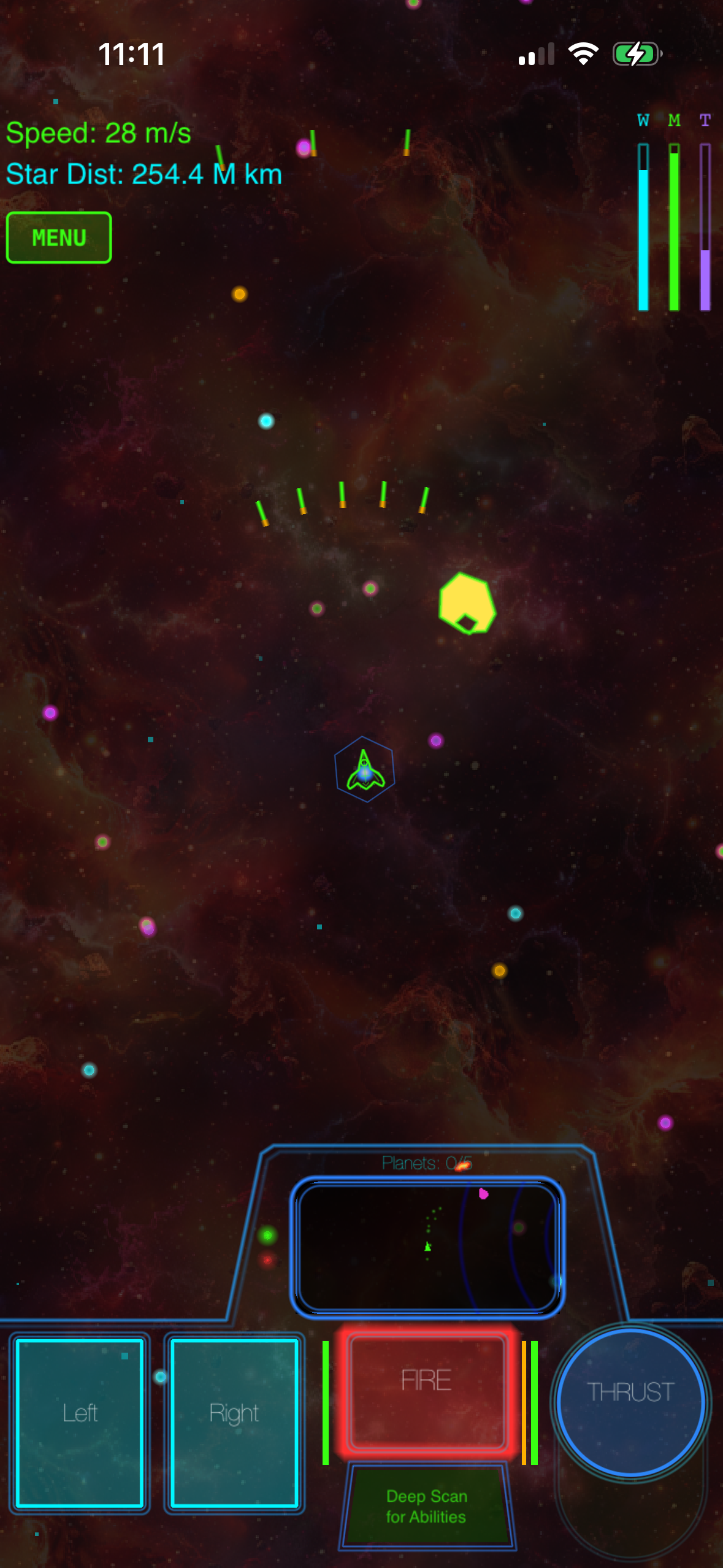
Best for learning orbital mechanics: Galaximus. Intuitive gravity-based flight with a 8-10 hour narrative campaign. 20-30 minute learning curve, then flow.
Best for 10-minute arcade sessions: Asteroids+ or Lunar Lander clones. Pure arcade, no story, instant gratification. Works on older iPhones.
Best for engineering depth: Kerbal Space Program Mobile. Build rockets component-by-component and learn actual aerospace principles. Steeper learning curve, sandbox-based.
Best for planetary exploration at scale: No Man’s Sky. Billions of procedurally generated planets to land on and explore. Heaviest file size, designed around online features but playable solo offline.
Galaximus: Real Gravity, Complete Offline
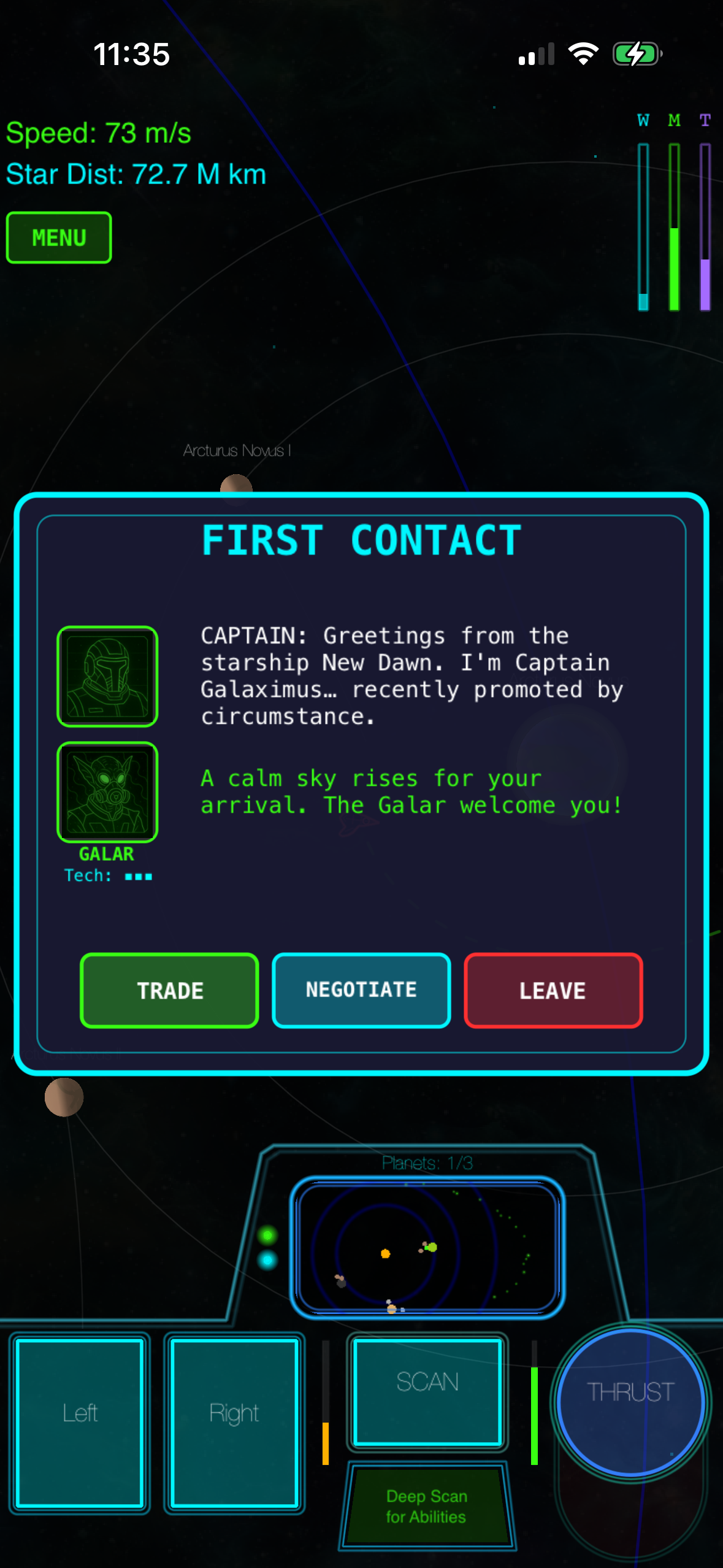
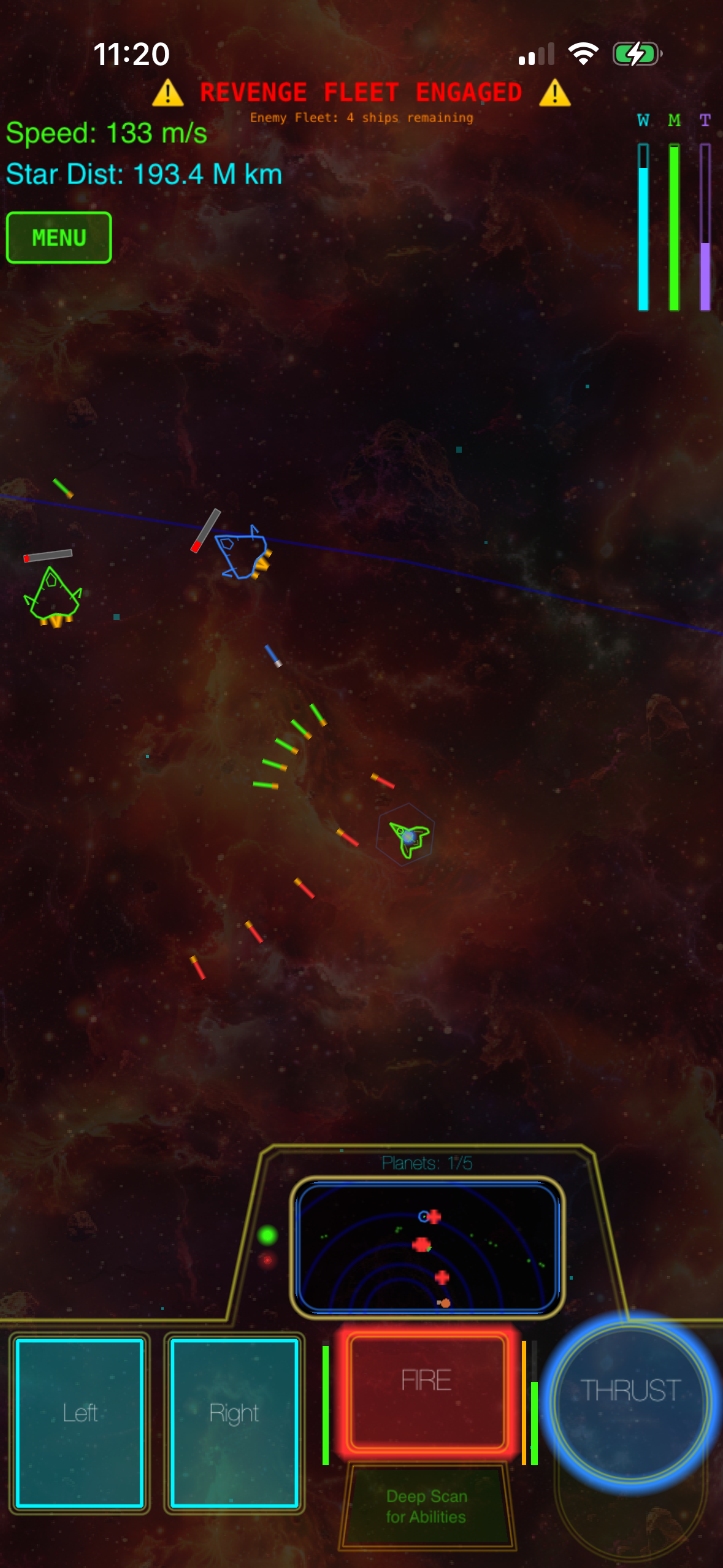
Galaximus is a premium, offline-first space exploration game. You buy it once, and the entire 8-system campaign runs on your device with no connection required.
The core mechanic is orbital mechanics—real gravity, not faked. Every planet orbits its sun, every moon orbits its planet, and your ship (The New Dawn) is subject to all of it. The payoff is that gravity becomes your engine. You don’t burn fuel to accelerate in a straight line; you use slingshots, orbital captures, and transfer windows to move efficiently. It’s arcade-action with physics underneath, not a flight simulator.
The campaign has a narrative arc with a beginning, middle, and end. You’re not grinding procedural content forever; you’re flying through a story. Each playthrough generates unique star system configurations, so replay value is built in, but the shape of the experience is authored.
The game ships complete. No energy meter, no battle pass, no cosmetics shop, no IAP. You pay at the launch-tier price, and you own the full experience. Galaximus Infinitum launches in Q4 2026 as a free upgrade for anyone who bought at the launch tier—open-galaxy sandbox, planetary surface exploration, outposts, faction warfare. After Infinitum ships, the combined game moves to a higher price tier, so buying now locks in the lower price and includes the expansion at no extra cost.
Every sound is procedurally synthesized in real time on your device—no pre-recorded audio files, no streaming. It’s technically rare and keeps the file size lean while maintaining a consistent sci-fi aesthetic. Galaximus is approximately 380 MB, making it smaller than most narrative-driven space games.
The learning curve is real. Gravity is the interface, and it takes 20–30 minutes of focused play to internalize how it works. After that, mastery is achievable. But if you want a casual five-minute arcade game, this isn’t it.
App Store: Galaximus (iOS 15.0+, iPhone 12 or later recommended) Price: Link: App Store - Galaximus
Other Offline Space Games Worth Considering
Galaximus is our recommendation, but it’s not the only offline space game on iOS. Here’s how the alternatives stack up.
Kerbal Space Program Mobile (if you want deeper rocketry engineering)
KSP is a vehicle-assembly sandbox where you build rockets and launch them into space. It has real orbital mechanics—more granular and detailed than Galaximus. You design every component: engines, fuel tanks, heat shields, landing legs. It’s a teaching tool dressed as a game; you’ll learn actual rocket science.
The tradeoff: it’s complex. The learning curve is steeper, and the UI is dense. It’s also not a narrative campaign—it’s a sandbox where you set your own goals. If you want to understand how orbits work at an engineering level, KSP is the move. If you want to fly and use gravity intuitively, Galaximus is faster to enjoyment.
Both work offline completely.
App Store: Kerbal Space Program Mobile (iOS 14.0+, iPhone 11 or later) Price: Link: App Store - Kerbal Space Program
No Man’s Sky (if you want planet exploration at scale)
No Man’s Sky is a procedural-generation sandbox where you fly to planets, land, and explore the surface on foot. Billions of planets, each with unique fauna and flora. It’s about discovery and exploration more than mastery.
The catch: the mobile version is newer, and it’s not as feature-complete as the desktop version. Also, while it can play offline, it’s designed around online features—multiplayer discoveries, shared discoveries, base-building that syncs. You can play solo offline, but you’re not getting the full experience the game was designed around.
App Store: No Man’s Sky (iOS 16.0+, iPhone 13 or later) Price: Link: App Store - No Man’s Sky
Asteroids and Lunar Lander descendants (if you want simple, fast arcade)
Games like Asteroids+ or Lunar Lander clones are pure arcade: shoot asteroids, land on the moon, no story, no complexity. They work offline, they’re cheap or free, and they’re perfect for short sessions.
The tradeoff: they don’t have the depth or narrative of a full campaign. They’re not bad—they’re just a different category. If you want 10-minute bursts, they’re great. If you want a 10-hour journey, they won’t sustain it.
The Offline Premium Model on iOS in 2026
Premium games—pay-once, no ads, no IAP—are rarer on iOS than they were five years ago. The App Store still hosts them, but the default business model has shifted toward free-to-play with monetization hooks.
This matters for offline play because premium games have no incentive to require a connection. There’s no battle pass to unlock, no daily login bonus to dangle, no cosmetics shop to tempt you. The game is finished at launch; you own it forever.
Free-to-play games, by design, want to pull you back regularly and get you to spend. That’s easier to enforce if they control the connection. Even “offline-capable” free-to-play games often have online components (events, live limited-time content, seasonal passes) that make true offline impossible.
If offline is your priority, premium games are your best bet. You pay more upfront, but you get a complete, connection-independent experience.
How to Verify a Game Is Actually Offline
Before you buy, here’s how to check:
-
Read the App Store description carefully. Look for phrases like “works offline,” “no internet required,” “complete on-device.” If the description doesn’t mention offline at all, assume it’s not.
-
Check the reviews for connection complaints. Search the App Store reviews for “offline,” “connection,” “WiFi.” For example, searching Kerbal Space Program reviews for “connection lost” returns zero complaints about core gameplay requiring WiFi—the game is genuinely offline. By contrast, searching similar terms in a free-to-play space game like Star Wars: The Old Republic returns dozens of complaints about story missions requiring WiFi authentication, which is a red flag.
-
Test it yourself. Buy the game, turn on airplane mode, and play for 30 minutes. If you hit a wall or a connection-required screen, you have your answer. Most premium games offer refunds within 48 hours if you’re unhappy.
-
Avoid games with “live” or “events” in the description. Those are code for online-dependent content. The game might be playable offline, but you’re missing core features.
File Size and Storage Considerations
Offline games ship all their content on your device, which means file size matters. A game with 8 star systems, procedurally generated planets, real-time audio synthesis, and a narrative campaign can range from 380 MB to 2 GB depending on how much pre-rendered art is included.
Galaximus is approximately 380 MB—the procedural audio synthesis and vector-based visuals keep the footprint small. Kerbal Space Program Mobile is larger at around 1.2 GB because it ships more assets. No Man’s Sky is the heaviest at approximately 1.8 GB because it’s a full 3D world.
Check your available storage before installing. On an iPhone with 64 GB and a lot of photos, a 2 GB game matters. On a 256 GB model, it’s negligible.
Battery and Performance Offline
One unexpected benefit of offline play: battery life. Real-time physics games are CPU-intensive. Because these games aren’t trying to sync data or maintain a server connection in the background, your device isn’t waking up to check for updates or ping a server—it’s just running the simulation.
Performance is also more stable offline. No network latency, no server lag, no dropped packets causing frame rate hiccups. Physics simulations especially benefit from this consistency.
Narrative vs. Sandbox: Which Offline Game Is Right for You?
This is the biggest decision point after “offline.”
Narrative-driven campaigns (Galaximus, some KSP missions) have a story. You’re flying toward a goal, meeting characters, uncovering a plot. The game has a beginning, middle, and end. You finish it. Replay value comes from procedural variation or different playstyles, but the shape is authored.
Sandbox games (KSP in free-build mode, No Man’s Sky) give you a toolbox and say “go.” You set your own goals. There’s no ending—you decide when to stop. Replay value is infinite because you can always set a new challenge.
For offline play, narrative games have an advantage: they’re designed to be played straight through without live events or seasonal content interrupting the flow. Sandbox games work offline, but they’re sometimes designed around online features (shared discoveries, multiplayer bases) that enhance the experience even if they’re not required.
If you want to finish something, pick narrative. If you want to explore indefinitely, pick sandbox.
FAQ
What happens if I run out of fuel mid-orbit?
In Galaximus and KSP, running out of fuel mid-orbit leaves you stranded. You’ll continue orbiting indefinitely unless you can reach a station or planet with fuel. This is intentional—fuel management is part of the strategy. In Galaximus, you can restart the mission from your last checkpoint. In KSP, you can revert to a previous save or accept the stranded vessel as a permanent loss (hardcore players do this).
Can I pause mid-mission and resume later?
Yes, all three games (Galaximus, KSP, No Man’s Sky) support mid-mission saves and pausing. Close the app, and your progress is saved locally. You can pick up exactly where you left off, even days later.
Do these games sync my save to the cloud?
Galaximus saves locally to your device by default. If you enable iCloud in Settings, your progress can sync across devices, but that’s optional—the game works fine without it. KSP and No Man’s Sky have similar setups: local save by default, optional cloud sync.
Can I play these on older iPhones?
Galaximus and KSP require iPhone 12 or later for smooth performance. No Man’s Sky requires iPhone 13 or later. Asteroids clones run on iPhone 8 and up. Check the App Store listing for your device before buying.
If I buy Galaximus now, do I really get Infinitum free?
Yes. Anyone who purchases at the current launch-tier price receives Galaximus Infinitum as a free upgrade when it launches in Q4 2026. After Infinitum ships, the combined game moves to a higher price tier. This is a real time-limited offer, not marketing copy.
The Offline Space Game Landscape in 2026
Offline space exploration on iOS is possible, and it’s better than it was five years ago. The premium-game model is making a quiet comeback because players are tired of free-to-play friction. Games like Galaximus prove that you can ship a complete, physics-driven, narrative-rich space game without ads or energy meters.
The tradeoff is upfront cost. You pay more than a free game. But you get a finished product that works anywhere, respects your time, and doesn’t try to monetize your attention.
If you want real gravity, a complete campaign, and the freedom to fly offline, Galaximus is ready.
