Vector Graphics Arcade Space Games iOS 2026
 by Galaximus
Vector Graphics Arcade Space Games: Why Retro Aesthetics Demand Real Physics
Vector graphics on iOS have a particular power: they’re clean, scalable, and they evoke the arcade heritage that shaped modern gaming. When a vector-based space game pairs that visual simplicity with actual orbital mechanics—not the simplified gravity models used in most mobile titles—something unexpected happens. The retro look becomes the perfect interface for physics mastery.
This article explores why vector aesthetics work for space games on iPhone, what distinguishes physics-first design, and the state of the genre in 2026.
The Vector Aesthetic: Why It Still Works
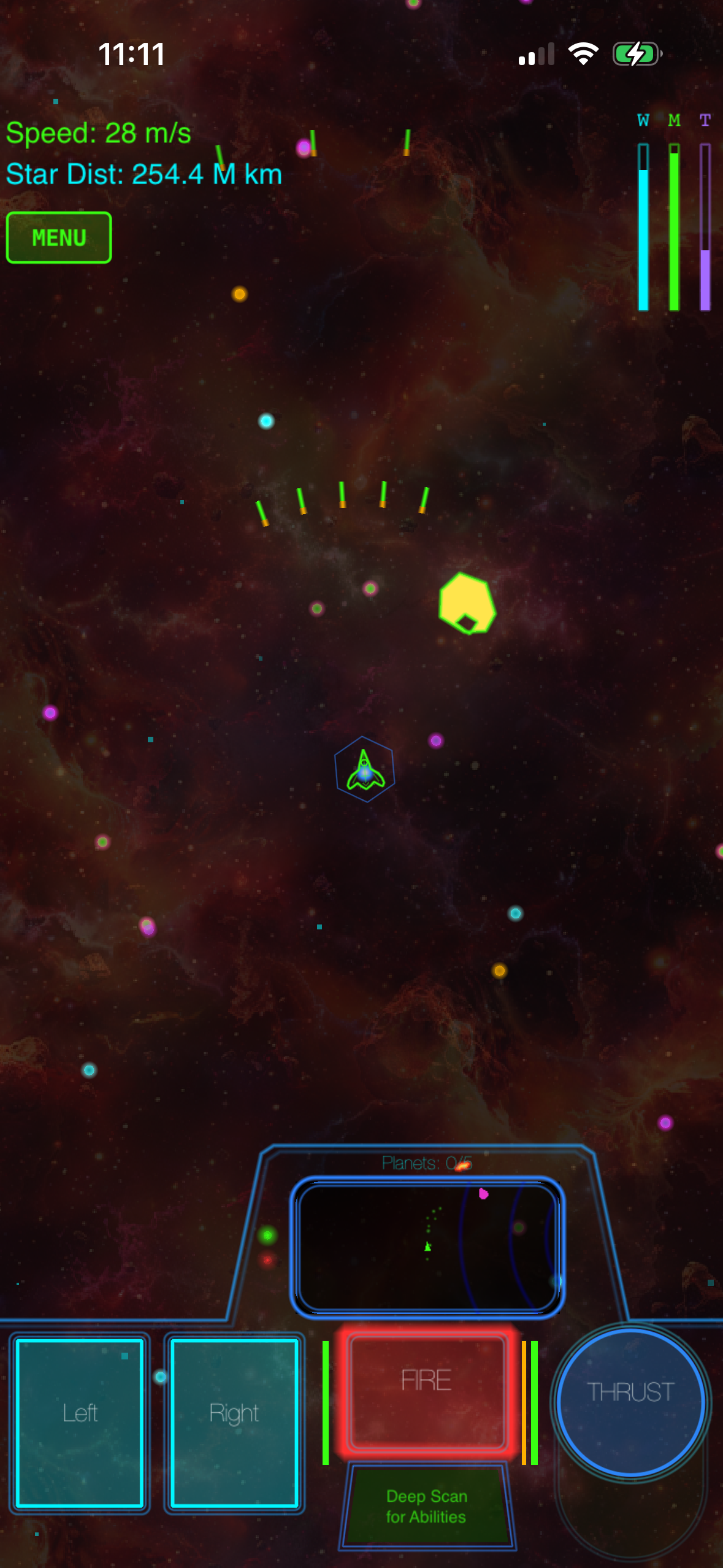
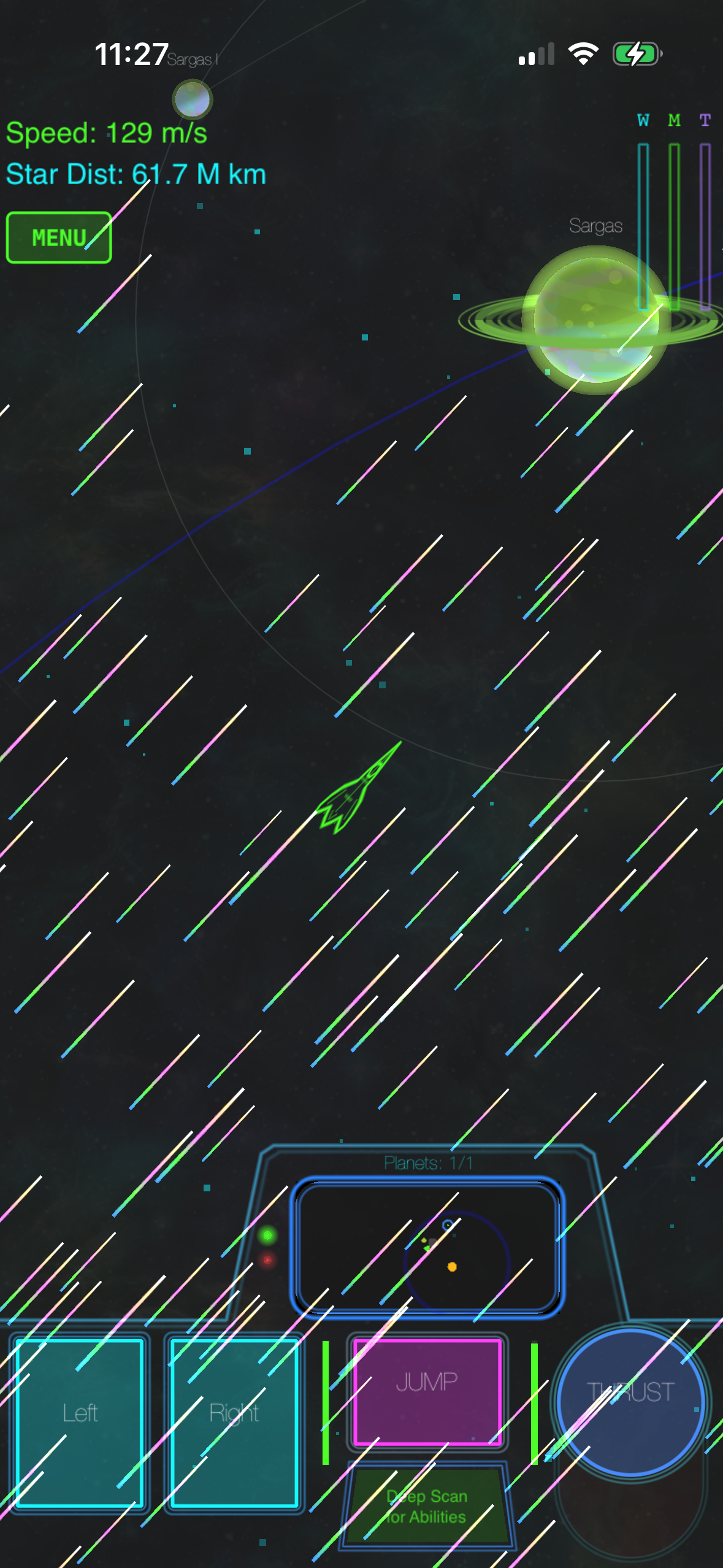
Vector graphics aren’t retro because they’re outdated—they’re retro because they’re honest. A neon-outlined ship, a glowing planet, a laser bolt traced in cyan: these are abstractions. They don’t pretend to be photorealistic. That honesty is exactly what makes them the right visual language for a physics-driven space game.
When you’re learning to use gravity as your primary engine, you need clarity. Raster textures, parallax layers, volumetric effects are beautiful, but they add visual noise. Vector graphics cut through that noise. A planet is a circle. Your ship is a wedge. A trajectory is a line. The interface becomes transparent; you see the physics, not the rendering.
The aesthetic also carries cultural weight. Players who grew up with Asteroids, Lunar Lander, and Battlezone recognize the language instantly. But younger players respond to the style because it looks intentional, not because it looks old. That’s the difference between retro-as-nostalgia and retro-as-design-choice.
Real Gravity vs. Simplified Gravity Models
Most space games on iOS use simplified gravity. A planet exerts pull, but the pull is often invisible or heavily dampened. The goal is accessibility: get the player flying in under a minute, minimize the learning curve, let reflexes carry the day.
Real orbital mechanics work differently. Every body’s gravity affects every other body in real time. A moon orbits its planet. The planet orbits its star. Your ship is subject to all of it. You don’t fight gravity; you use it. A slingshot maneuver—diving toward a planet to steal its orbital velocity—isn’t a special move. It’s the physics working exactly as it should.
The payoff is mastery. After 30 minutes of focused play, you stop thinking about gravity and start feeling it. You recognize the curve of an optimal approach vector. You know when to cut thrust and let momentum carry you. That’s a depth that simplified gravity can’t offer, because simplified gravity is a constraint you work against, not a tool you work with.
Procedural Audio: The Unsung Half of Vector Aesthetics
Vector graphics are only half the retro-arcade story. The other half is sound design.
Most games ship pre-recorded audio files: laser blasts, explosions, engine hums. But vector-arcade games have a sonic equivalent to their visual style: synthesized sound. Every laser, explosion, and ambient hum is generated in real time on your device. No sound files. No compression artifacts. Just pure synthesis.
This approach is uncommon on mobile. Synthesized sound has a particular quality: it’s clean, consistent with the visual aesthetic, and produces consistent output across devices. A laser bolt always sounds like a laser bolt, whether you’re hearing it for the first time or the ten-thousandth.
The Learning Curve as a Feature, Not a Bug
Vector-arcade space games with real physics have a reputation: they’re hard. But “hard” is worth unpacking.
These games aren’t hard because the controls are finicky or the interface is opaque. They’re hard because gravity is unforgiving. You can’t just point your ship at a target and burn. You have to think three moves ahead: where am I, where do I want to be, what gravity wells are in the way, and how do I use them.
That’s the learning curve. And yes, it’s steep. But it’s also finite. You’re not learning a thousand-button combo or memorizing a spreadsheet. You’re learning to read a physics simulation. Once you get it, it clicks. And then every subsequent playthrough rewards that mastery.
This attracts a specific player: someone who remembers when games shipped complete and expected players to learn them. Someone who likes the idea that a game can respect their intelligence. Someone willing to invest 30 minutes up front for hours of payoff.
Procedural Generation and Replayability
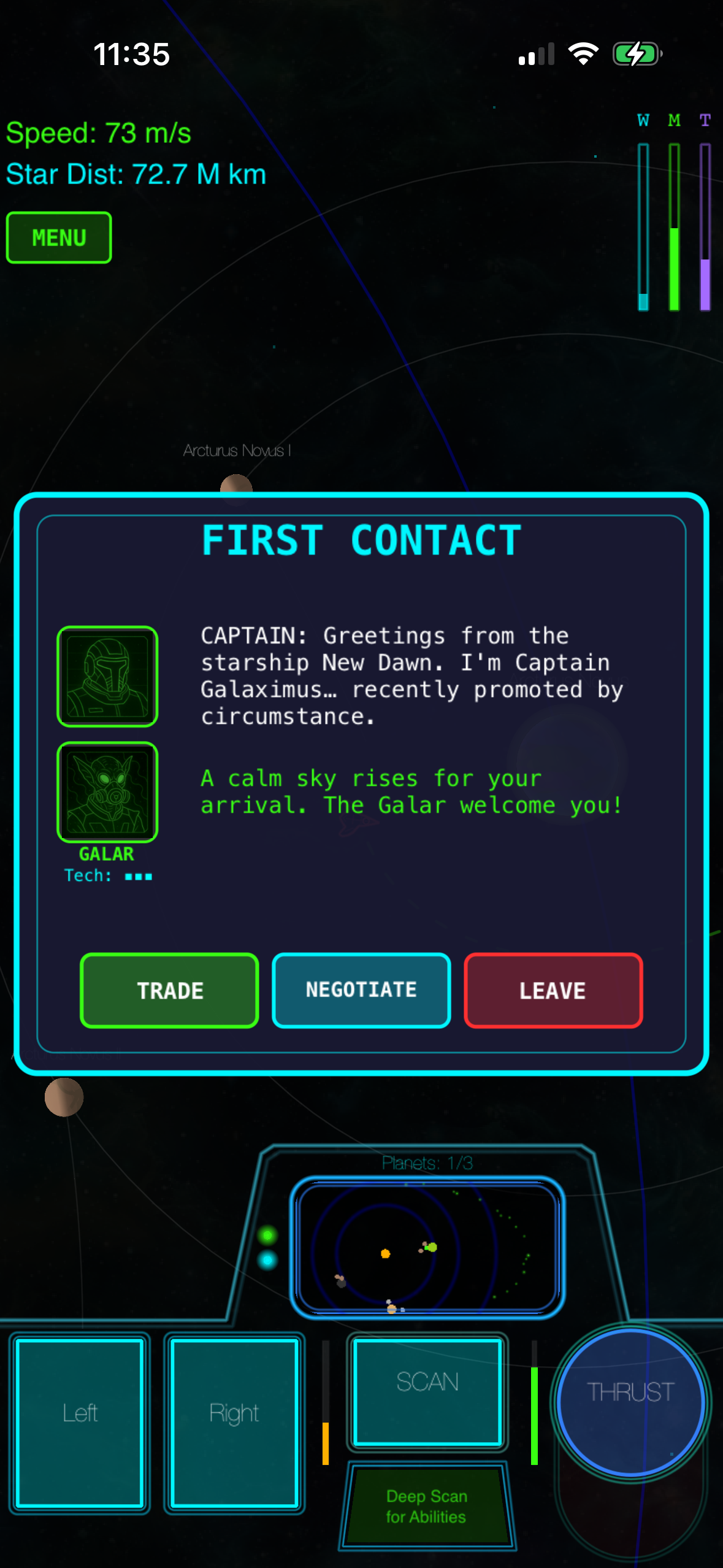
Vector-arcade space games often use procedural generation to extend replayability without bloating the app size. Each playthrough generates unique star-system configurations: different planet positions, different anomalies, different scenarios.
But procedural generation isn’t infinite replayability. It’s structured replayability. The campaign arc is the same every time—beginning, middle, end—but the obstacles you encounter are unique to each run. That’s the sweet spot between authored narrative and sandbox freedom.
Procedural generation also serves the vector-aesthetic philosophy: it’s elegant and economical. A hand-authored galaxy might require gigabytes of asset data. A procedurally generated one requires a seed and a set of rules.
How Vector Graphics Compare to Other Aesthetics
Vector graphics aren’t the only visual language for space games. Procedural 3D, hand-painted backgrounds, and minimalist UI-only designs all have their place.
Vector wins on clarity and scalability. A vector-drawn planet looks identical on an iPhone SE and an iPad Pro—no texture compression, no resolution scaling. Clarity matters when you’re learning orbital mechanics. You need to see the physics, not admire the scenery.
That said, vector has tradeoffs. If you want to walk on a planet surface, vector wireframe has a particular aesthetic. If you want photorealistic terrain, vector isn’t your tool. For arcade-action space games where the physics is the star, vector graphics are hard to beat.
The Market: Vector-Arcade Space Games on iOS
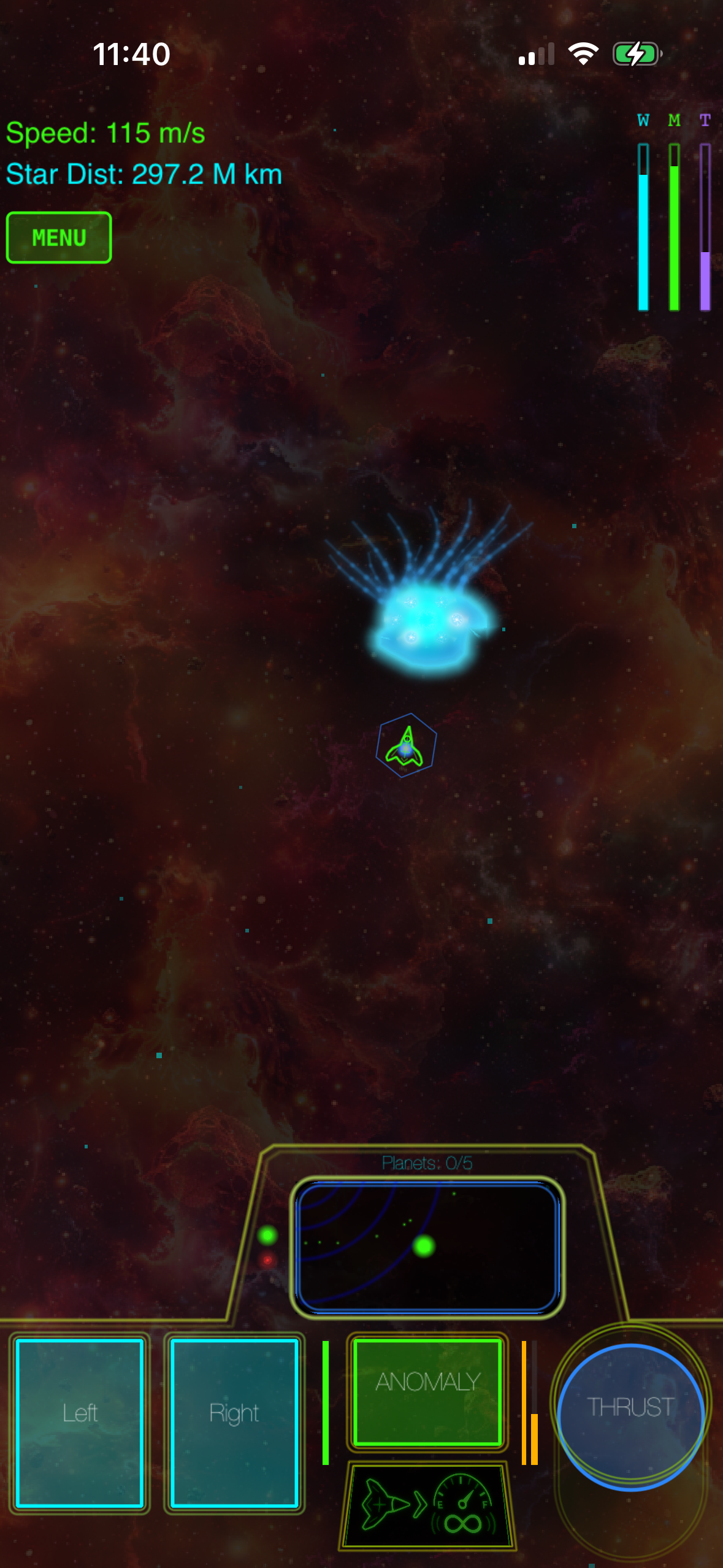
True vector-arcade games with real orbital mechanics are rare on iOS. Most space games simplify the physics for accessibility. Competing titles include:
- Kerbal Space Program (2015, multi-platform including iPad): hand-authored solar system, full orbital mechanics, extensive mod support
- Spaceflight Simulator (2017, iOS/Android): procedural planets, realistic gravity, sandbox mode
- Orbital Mechanics Sandbox (indie, 2024): minimalist vector aesthetic, teaching-focused design
- Gravity Well (2023, iOS): puzzle-based gravity mechanics, vector graphics
- Asteroids: Gunner (2022, iOS): arcade action with simplified orbital pull
Each takes a different approach to the physics-versus-accessibility tradeoff. Kerbal Space Program and Spaceflight Simulator offer full realism. Gravity Well and Asteroids: Gunner simplify for faster gameplay. The market is small but distinct.
The Community Around Vector-Arcade Space Games
Players who love vector-arcade space games tend to cluster around specific communities: r/spacegames, indie-game forums, and niche Discord servers dedicated to games with real physics. These are players who’ve often played Kerbal Space Program, Asteroids, or classic arcade cabinets. They value depth, respect learning curves, and are skeptical of monetization schemes.
The community is small but vocal. A well-made vector-arcade space game with real physics gets word-of-mouth attention from this group.
FAQ
Q: Can I play offline?
A: Most vector-arcade space games are designed for offline play. Procedural generation happens on-device, so you don’t need a network connection once the app is installed.
Q: What’s the typical file size?
A: Vector-arcade games are usually 50–200 MB. Because they use procedural generation instead of pre-rendered assets, they’re much smaller than 3D space games.
Q: Does it work on iPhone SE?
A: Yes. Vector graphics scale to any screen size, and procedural generation doesn’t require high-end hardware. Older iPhones may experience frame-rate dips during complex physics calculations, but the game remains playable.
Q: Do I need to understand orbital mechanics to play?
A: No, but you need to be willing to learn them. Most vector-arcade space games teach orbital mechanics through gameplay, not tutorials. The first 30 minutes are about building intuition.
Q: Are vector-arcade space games only for hardcore players?
A: They attract hardcore players, but they’re not only for them. They’re for anyone willing to invest time learning a control scheme that pays off. If you like the idea of physics-based mastery, they’re worth trying.
The Retro Future
Vector graphics on iOS aren’t a throwback. They’re a choice. A choice to prioritize clarity over spectacle, elegance over bloat, and mastery over accessibility.
When you pair that aesthetic with real orbital mechanics, you get something that feels both nostalgic and entirely new. You’re flying a ship that obeys physics laws, seeing the universe through an interface that doesn’t get in the way, and learning a skill that transfers across every playthrough.
That’s the promise of vector-arcade space games in 2026.
Related Reading
Explore more about premium space gaming on iPhone:
-
Best Paid Space Games for iPhone 2026: Updated Rankings — A comprehensive comparison of premium space games across different physics models, visual styles, and monetization approaches to help you find the right fit.
-
iOS Space Games with Real Gravity Simulation — A focused guide to titles that implement actual orbital mechanics rather than simplified gravity, with detailed breakdowns of each game’s physics engine.
-
How to Choose a Premium iOS Space Game: Buyer’s Guide — A decision framework covering learning curve, replayability, offline support, and pricing to match your preferences.
-
Best iOS Space Games: Offline, No Internet Required — Games that work completely offline, ideal for travel or areas without reliable connectivity.
-
iPhone Games Like Asteroids: Modern Space Arcade Games — Contemporary titles that capture the arcade-action feel of classic vector games.
