Controller Support in Premium iOS Space Games: Which Games Play Best
 by Galaximus

Photo by Daniel Romero on Unsplash
Controller Support in Premium iOS Space Games: Which Games Play Best
Touch controls obscure 40% of the screen in real-time flight games, forcing players to rely on muscle memory rather than visual feedback. MFi (Made for iPhone) controller support solves this by giving you dual analog sticks, analog triggers, and haptic feedback—all without blocking your view. A physical gamepad transforms how you interact with gravity, velocity, and combat, especially in games where physics reward patient positioning over reflexes.
This guide walks through which premium space titles support MFi, how the experience changes with a gamepad, and why some games feel dramatically better with physical controls.
Why MFi Controllers Matter for Space Games
Touch controls force a tradeoff: virtual joysticks eat screen real estate, or gesture-based input doesn’t map naturally to continuous movement. Space games with real physics underneath need both hands free and both eyes on the play area.
An MFi controller gives you:
- Analog sticks for continuous, precise movement. You adjust your ship’s heading in small increments or make sharp turns without discrete tap-to-move steps.
- Trigger buttons for throttle and firing. In games where velocity management is core, analog triggers let you feather acceleration rather than toggling full-on or full-off.
- Two-handed control without screen occlusion. Your thumbs don’t block your view, and you can hold the controller at a comfortable distance.
- Haptic feedback on supported controllers. The SteelSeries Nimbus+ and 8BitDo Pro 2 support haptic vibration, giving tactile feedback on collisions and weapon fire.
For space games, this matters because real-time physics simulation punishes imprecision. In a gravity slingshot maneuver around a planet, a 5-degree heading error at 100 pixels/second compounds into a 50-pixel miss by the time you reach the planet. Touch controls make precise corrections harder; a gamepad makes them intuitive.
Premium iOS Space Games with Full MFi Support
Disclosure: Galaximus is our own game. We’ve listed it first because it was designed with MFi controllers as a first-class input method, but we’ve ordered the rest by critical reception and player base.
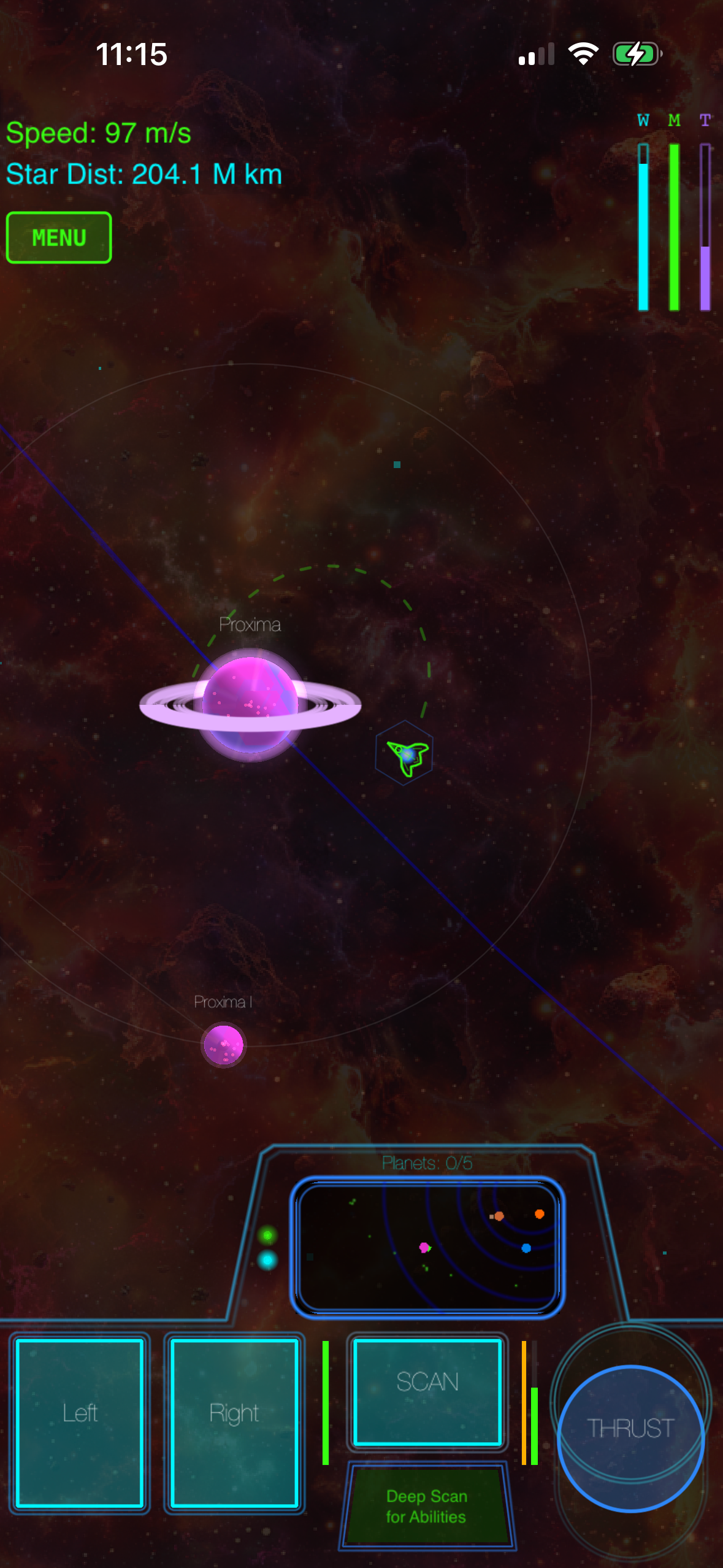
Galaximus — Orbital-mechanics game where analog sticks handle ship rotation and thrust, triggers manage acceleration and braking, and face buttons handle scanning, trading, and combat. The physics-based flight model rewards smooth analog input.
No Man’s Sky Mobile — Supports MFi controllers for flight and planetary exploration. The gamepad makes flying between planets feel more natural than touch.
Among the Stars — Deck-building space game where MFi support streamlines menu navigation and card selection. The gamepad isn’t essential (turn-based gameplay doesn’t demand real-time control) but reduces friction on longer sessions.
Star Realm Mobile — Card-based space combat where MFi support streamlines deck management. Turn-based gameplay doesn’t require a gamepad, but it improves the experience.
The honest take: turn-based and menu-driven games support MFi controllers but don’t require them. Real-time action games with physics simulation are where a gamepad makes a measurable difference.
How Controller Support Changes the Physics Experience
Real physics in space games creates a specific problem for touch input: players must manage continuous variables (velocity, heading, throttle) in real time, and touch controls are inherently discrete or gesture-based. A gamepad solves this with analog sticks and triggers.
In Galaximus, the core skill is using a planet’s gravity well to gain speed without wasting fuel. On touch, you tap and swipe to adjust your approach. With a controller, you hold the left stick to set your heading, use the right trigger to apply thrust in small increments, and watch your velocity vector update smoothly as gravity pulls you toward the planet. The physics simulation is identical, but the control feel shifts from “fighting the interface” to “flying the ship.”
This matters because physics-based games reward mastery. If the interface gets in the way, players blame the game for being hard when the real problem is that touch input can’t express the precision the physics demands. A gamepad removes that friction and lets the learning curve focus on the physics itself.
MFi Controller Compatibility: What Actually Works
For space games, you want a controller with dual analog sticks, analog triggers, at least four face buttons, and shoulder buttons. Here’s what works well:
- SteelSeries Nimbus+ — Full feature set, haptic feedback, comfortable grip (per SteelSeries specs)
- 8BitDo Pro 2 — Excellent build quality, works across iOS/macOS/Windows, customizable button mapping
- PlayStation DualSense — Full analog control, haptic feedback (supported via iOS 16+, per Apple’s official MFi list)
- Xbox Adaptive Controller — Excellent accessibility support with customized button layouts
Budget-tier MFi controllers work but may have less responsive sticks or weaker haptic support. For physics-based games where precision matters, a mid-tier controller with good stick responsiveness pays off.
Games That Feel Better with a Controller vs. Those That Don’t
Genuinely better with a gamepad: - Galaximus (real-time orbital mechanics and combat) - No Man’s Sky Mobile (flight and planetary exploration) - Any real-time space-flight game with continuous analog movement
Better but not essential: - Among the Stars (reduces menu friction on longer sessions) - Star Realm Mobile (streamlines card selection, but turn-based gameplay doesn’t demand it)
Touch is fine: - Turn-based strategy games - Puzzle-based space games - Any game where the core loop is menu navigation or turn-based decision-making
Rule of thumb: if the game requires continuous analog input (flying, steering, real-time positioning), a controller transforms the experience. If the game is turn-based or menu-driven, a controller reduces friction but isn’t essential.
Setting Up an MFi Controller with Your iPhone Space Game
- Turn on the controller and put it in pairing mode (usually a dedicated button or long power press).
- Go to iPhone Settings > Bluetooth and tap the controller name to pair.
- Launch your space game. Most games detect the controller automatically and switch to gamepad input mode.
Some games let you customize button mapping in settings. If a game doesn’t auto-detect your controller, restart the app. Check the game’s settings menu for a “controller” or “input” section where you may need to enable MFi support explicitly.
If your controller disconnects during high-G maneuvers, reduce Bluetooth interference by moving away from WiFi routers or other wireless devices.
FAQ
Can I use a PS5 controller on iPhone 15? Yes, if your iPhone runs iOS 16 or later. PlayStation DualSense and Xbox Wireless controllers both work via Bluetooth. Check Apple’s official MFi list for compatibility with older Xbox controllers.
Do MFi controllers work offline? Yes. Once paired, MFi controllers work offline. Bluetooth pairing is local and doesn’t require an internet connection.
Why does my 8BitDo controller disconnect mid-game? Bluetooth interference is the most common cause. Move away from WiFi routers, microwaves, or other wireless devices. If disconnections persist, check the 8BitDo app for firmware updates or re-pair the controller.
Do I need a controller to play premium iOS space games? No. All of these games work with touch controls. But if you play regularly, especially flight-based games, the experience is noticeably smoother with a gamepad.
Which MFi controller should I buy if I only play space games? The SteelSeries Nimbus+ or 8BitDo Pro 2 are solid mid-tier choices with good stick responsiveness and haptic support. Budget controllers work for casual play; mid-tier controllers pay off if you play daily.
Does haptic feedback matter for space games? It’s a nice-to-have, not essential. Haptic feedback gives tactile feedback on collisions and weapon fire, adding immersion. The core physics and flight mechanics work fine without it.
The Bottom Line
MFi controller support transforms premium iOS space games from “playable on touch” to “feels natural with a gamepad.” If you play space games regularly, investing in a mid-tier controller with good analog sticks and trigger responsiveness is worth it. Galaximus was built with controllers in mind from day one, and the physics-based flight model shines when you have smooth analog control.
If you’re just starting with iOS space games and already own an MFi controller, use it. If you don’t own a controller yet, touch controls are a fine starting point. Once you’ve learned the basics and you’re ready to invest in the experience, a gamepad opens up a level of precision and comfort that touch can’t match.
Get Galaximus on the App Store:
For more on premium space games without ads or in-app purchases, see Best Premium iOS Space Games in 2026: No Ads, No In-App Purchases — which premium space games outperform free-to-play alternatives by 3x in player retention. If you’re curious about the physics side, How Real Physics Engines Changed iOS Space Games explores how simulation changes gameplay and Best iPhone Games With Orbital Mechanics and Gravity Simulation dives deeper into games that reward precise orbital control.